
SiteForge SiteForge
Modules
Modules
arrow_back Home

* Coming soon

dashboard Dashboard

Included module

◈

Account and project dashboards

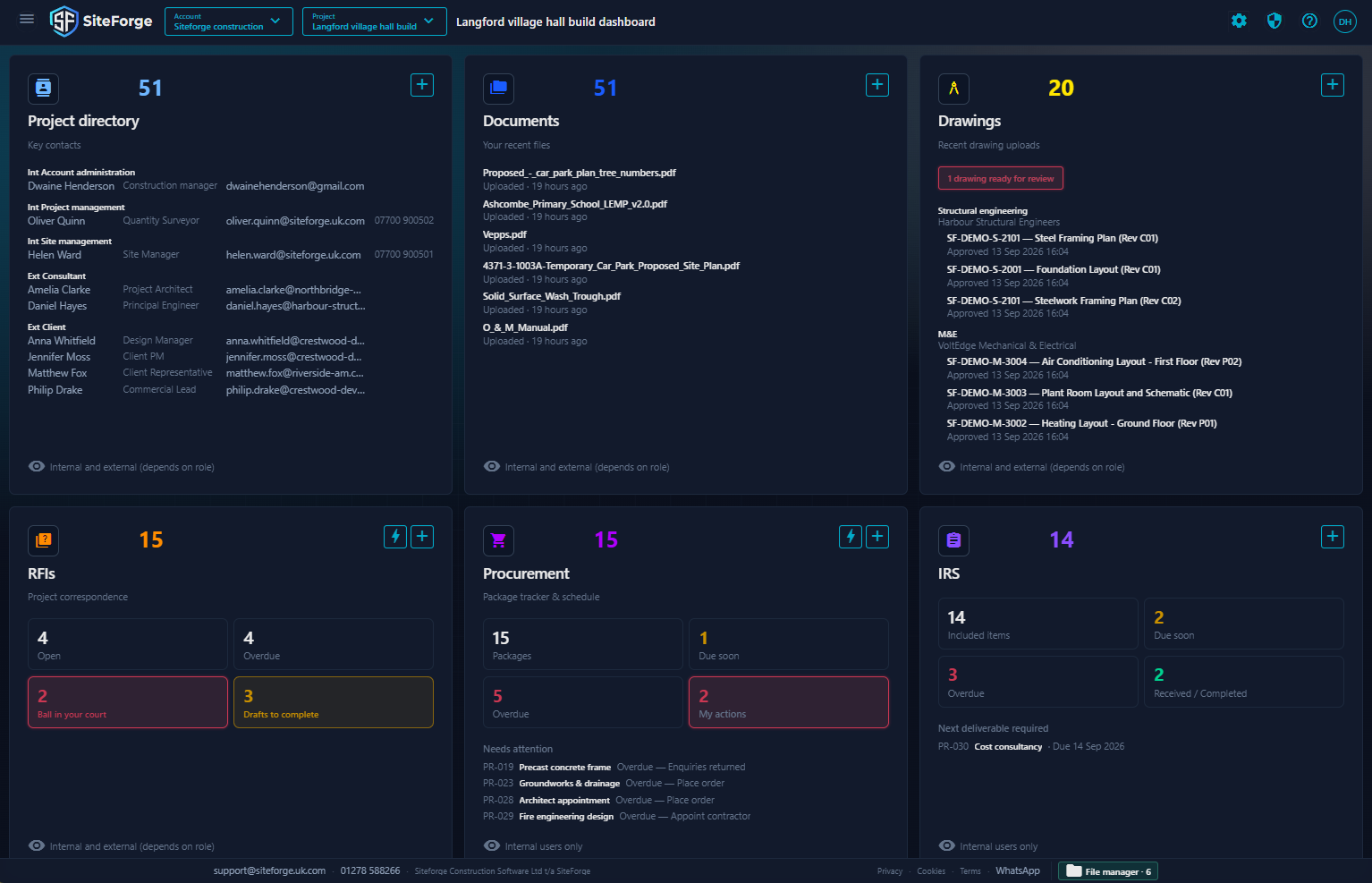
Dashboards for company account, and individual projects.

◉

Account

Account billing, directory, and projects.

◎

Project

Project level status across tools, at a glance.

dashboard Dashboard

Included module

Your project universe,
one command center.

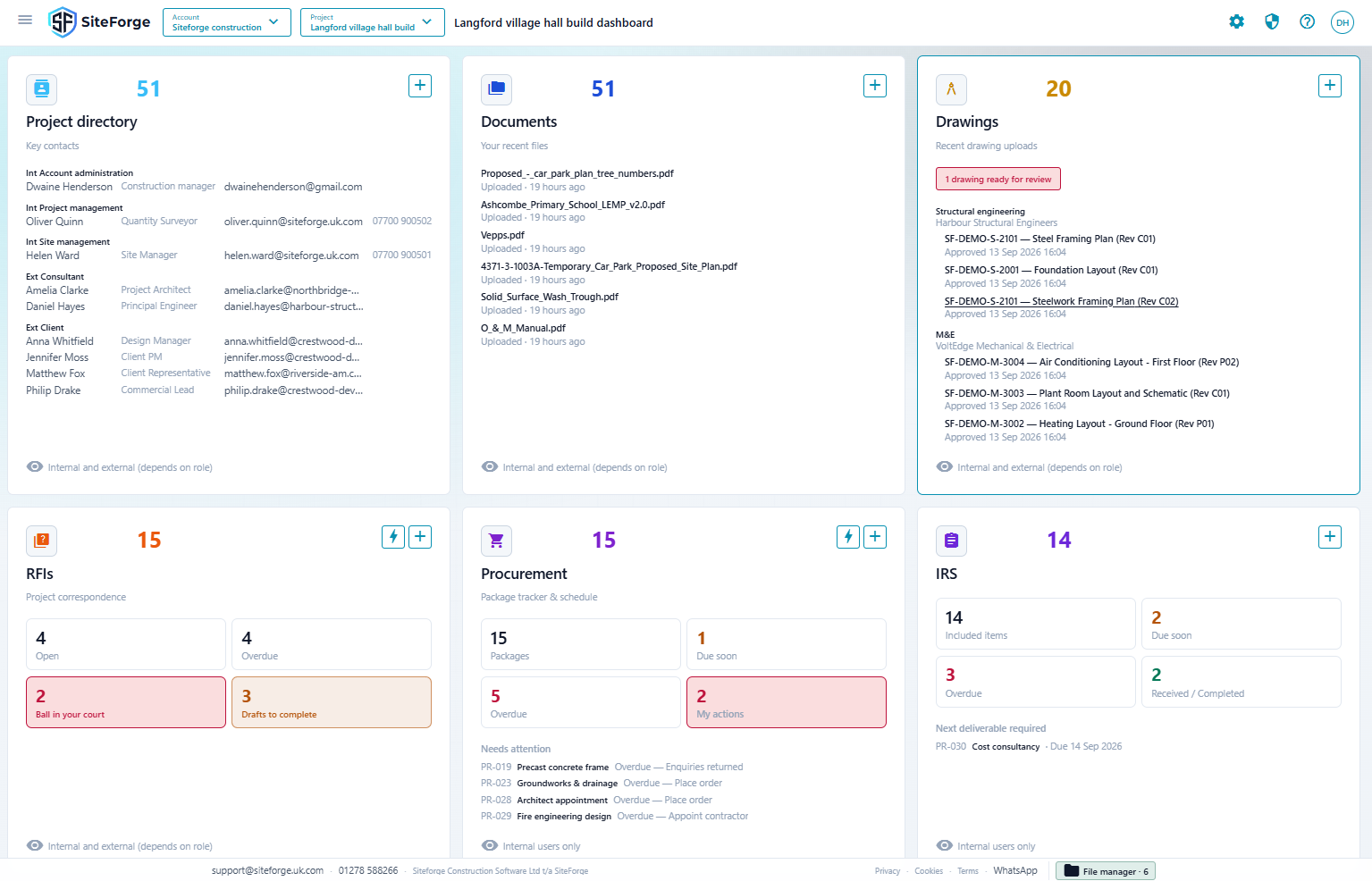
Get an instant snapshot of every project's status, billing, and team activity — all from a single, unified dashboard. No more hunting across systems.

siteforge.uk.com/app/dashboard
SiteForge Dashboard module screenshot SiteForge Dashboard module screenshot

What you get

  • check Multi-project overviews
  • check Subscription & billing status
  • check Users can only view information defined by their roles
  • check Account and project users via easy to use directories.
  • check At a glance project status for each tool.

contacts Directory

Included module

◈

Account and project directories

Manage the company-wide directory, then open a project directory for the people on that job.

◎

Companies and roles

Group people by company, assign sensible roles such as Site manager, Project manager, Consultant, or Client, and control what they can see and do.

◉

Invites that stick

Send invites, track pending acceptance, and keep membership status clear for the whole team.

contacts Directory

Included module

Every contact,
across projects.

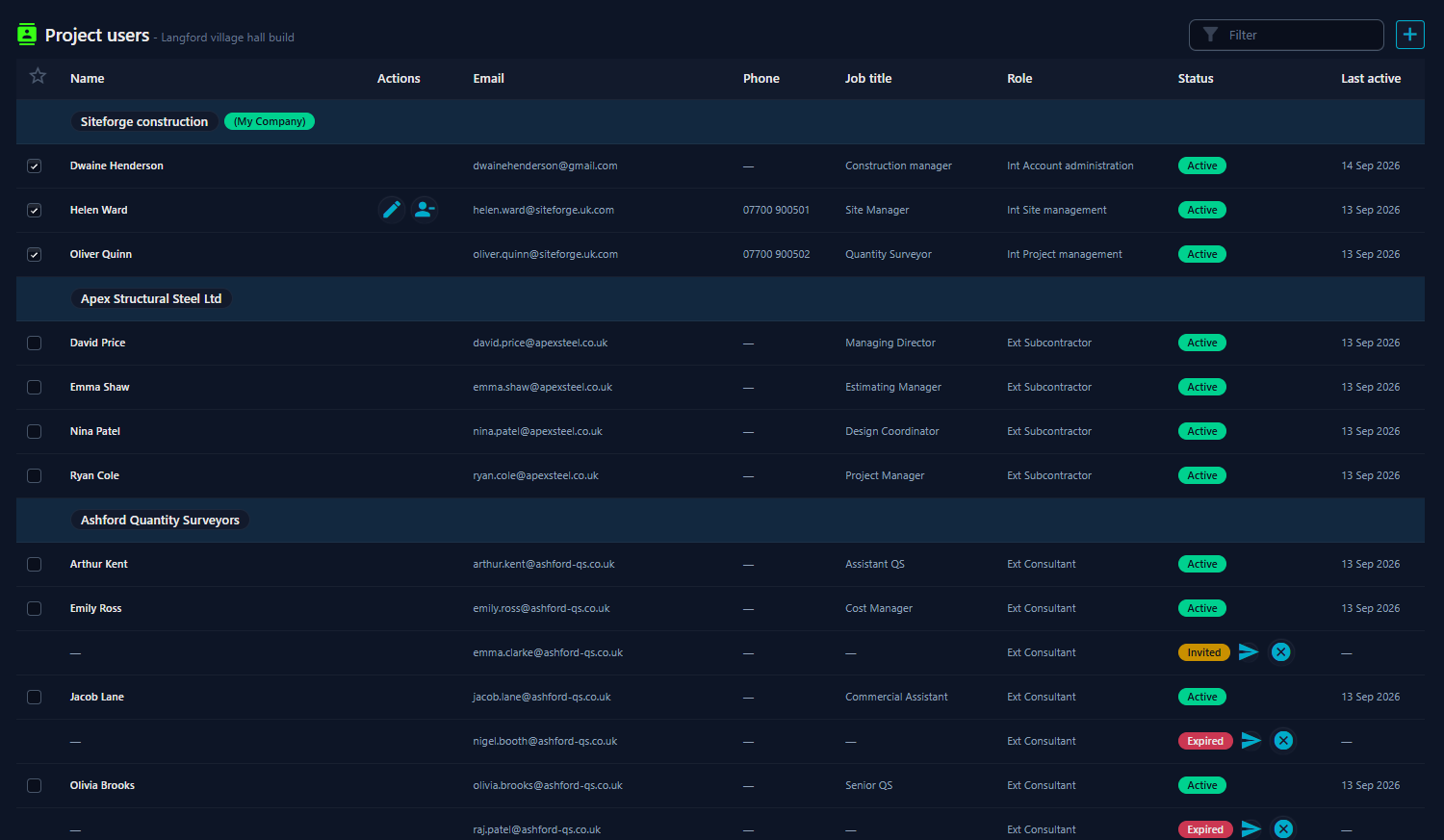
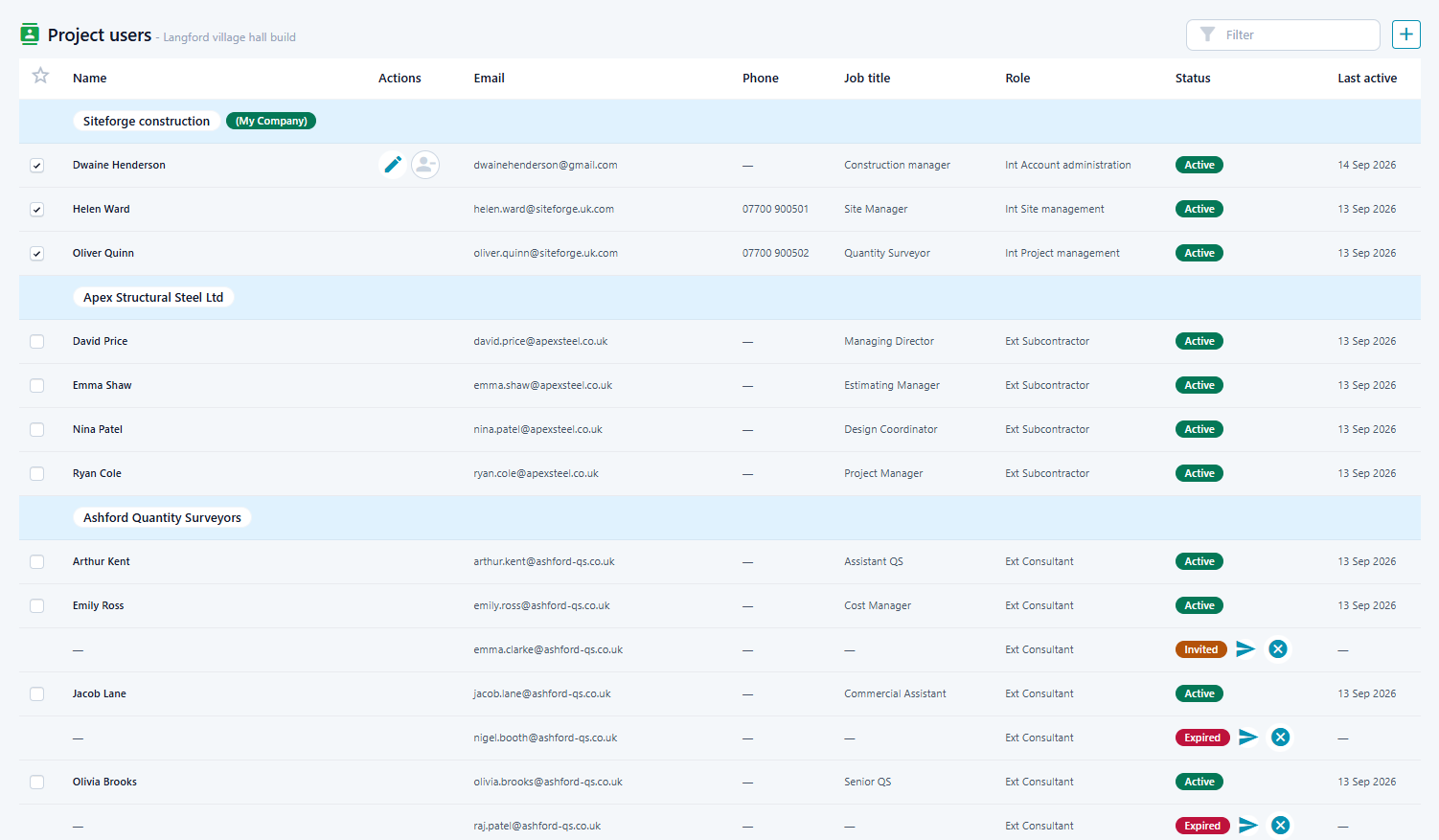
Keep companies and people in one place. Invite them once into your account directory, then add them to projects with the right role — without rebuilding the same list for every job.

siteforge.uk.com/app/directory
SiteForge Directory module screenshot SiteForge Directory module screenshot

What you get

  • check Account & project directories
  • check Company-grouped contacts
  • check Role-based access
  • check Invite, resend, and remove

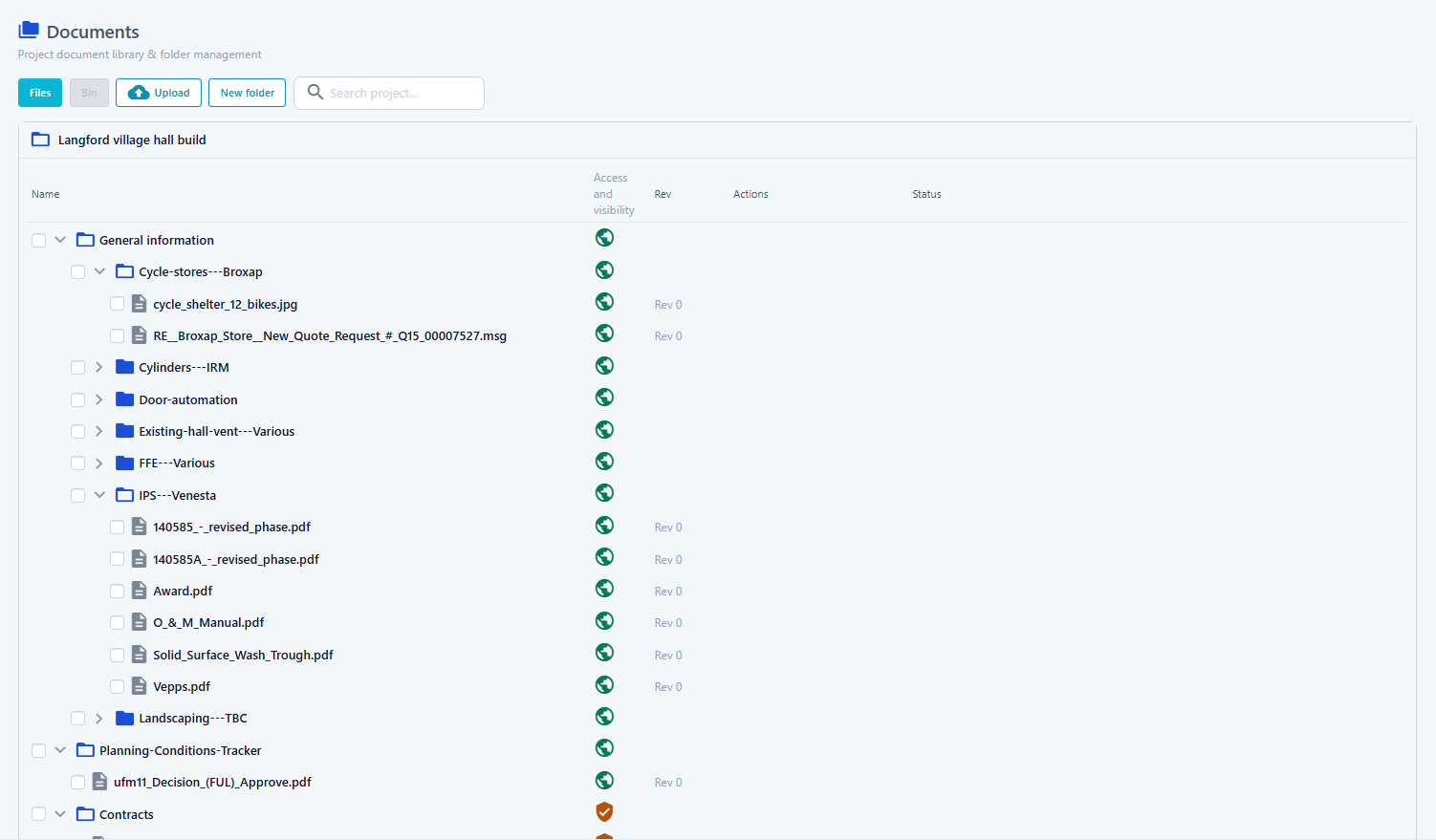
folder_copy Documents

Included module

◈

Folder browse

Nested project folders with Files and Bin surfaces, search, and bulk actions that stay practical under pressure.

◉

Revisions that stay with the file

See which revision is current and open the history without hunting through email attachments.

◎

Shared transfers

Uploads and downloads run through the shared File Manager so progress and completion stay visible while you keep working.

folder_copy Documents

Included module

Project documents,
in one place.

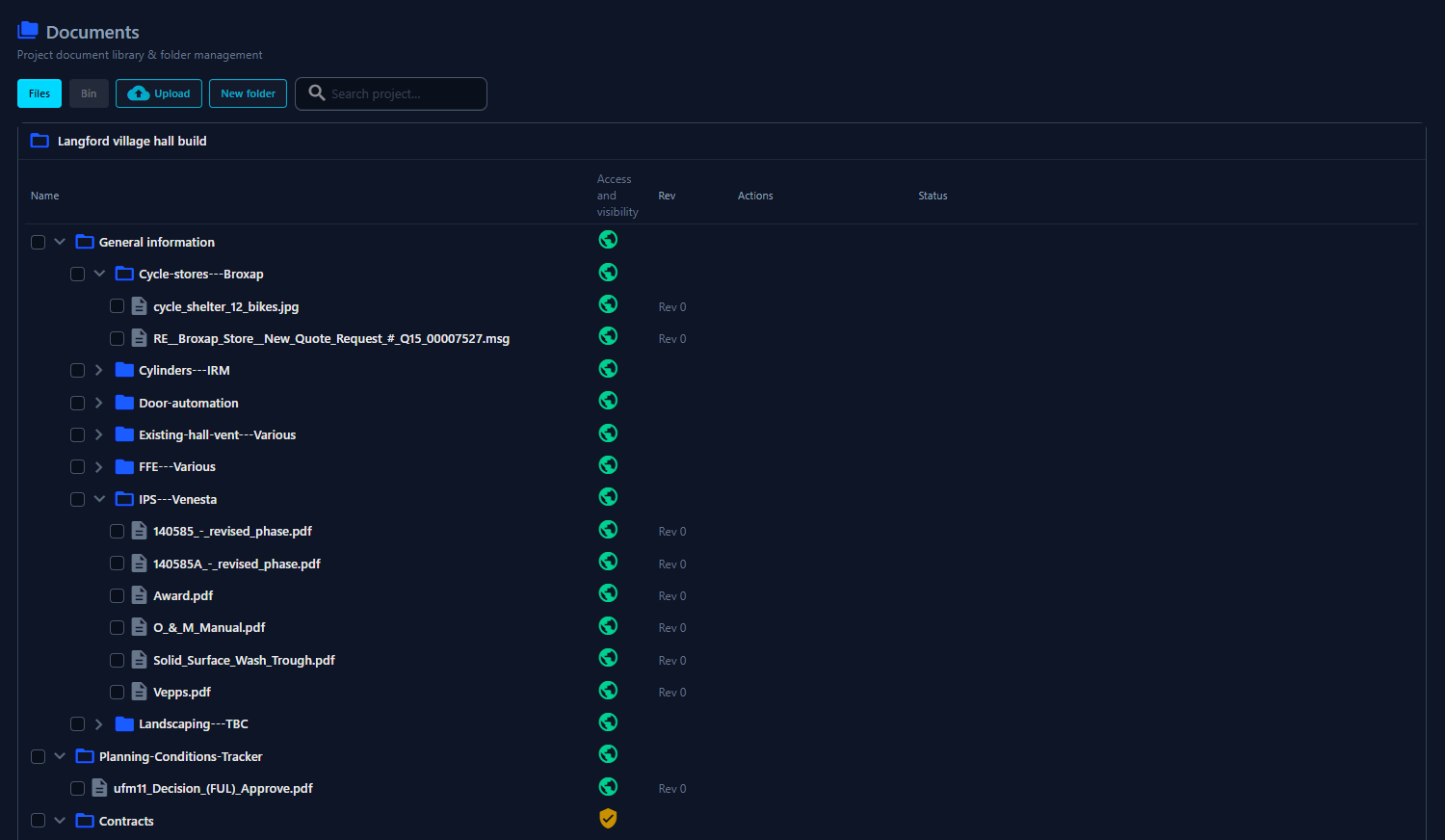
Browse folders on the project, upload with shared File Manager progress, keep revision history with each file, and use Bin when something needs to come back.

siteforge.uk.com/app/documents
SiteForge Documents module screenshot SiteForge Documents module screenshot

What you get

  • check Project folder tree
  • check Revision history
  • check Private / controlled folders
  • check Files + Bin lifecycle

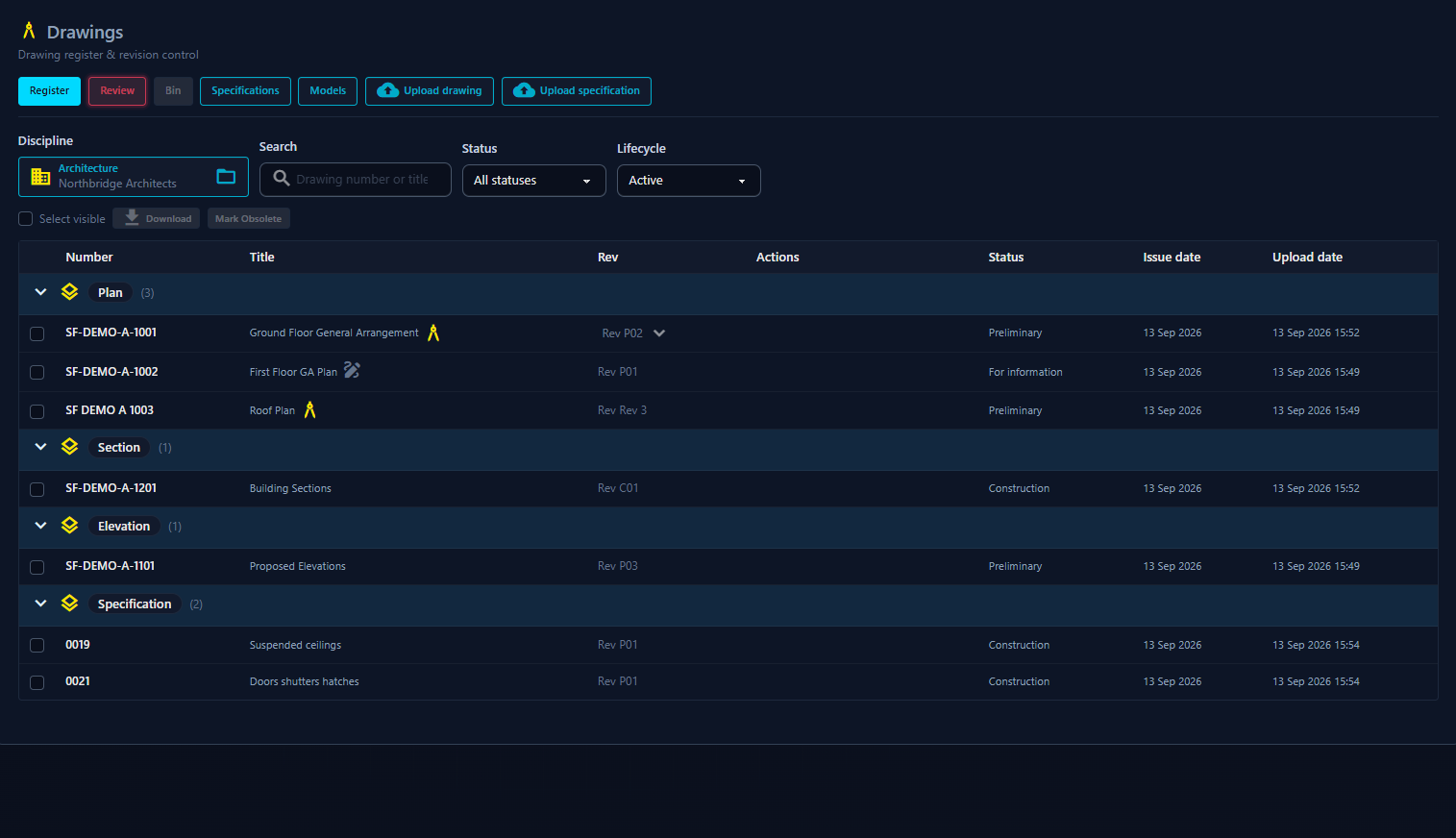
architecture Drawings

Included module

◈

Register by Discipline and Area

Pick a Discipline, then work Plan / Section / Elevation / Detail (or custom Areas) with number, title, Rev, and status in one register.

◉

Drawing lineage and issues

Each Drawing keeps its issued history. Set current, mark Obsolete when needed, and restore issues from Bin without losing the trail.

◎

Upload, CAD, Models, and Specs

PDF batch upload and quick revision drop, optional CAD on an issue, a simple Models tab per Discipline, and specifications — with shared File Manager progress.

architecture Drawings

Included module

The latest revision,
always at hand.

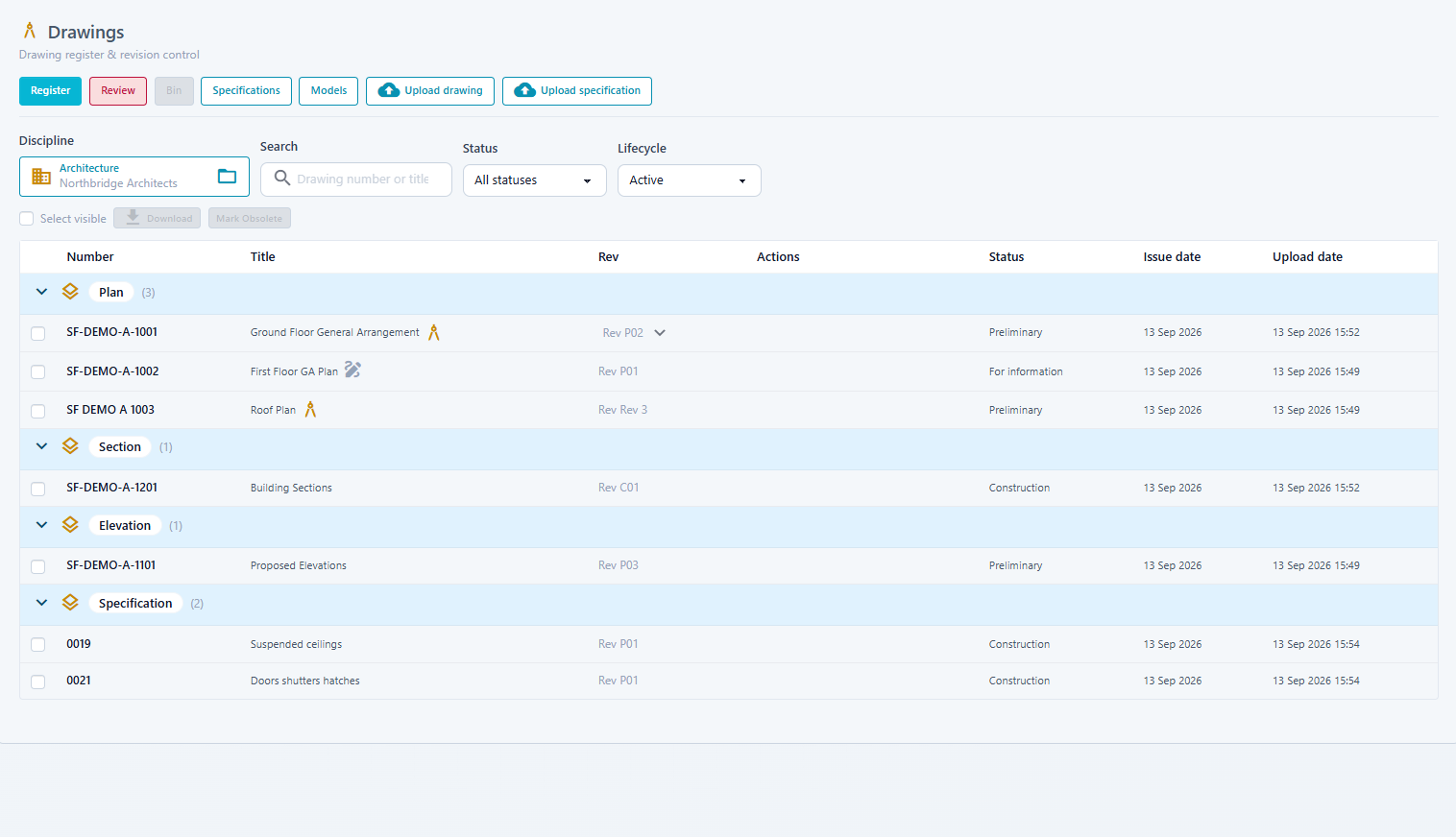
Browse one Discipline at a time, group sheets by Area, and keep each Drawing lineage with its issued revisions. Upload PDFs, review before they hit the register, and download securely when you need them on site.

siteforge.uk.com/app/drawings
SiteForge Drawings module screenshot SiteForge Drawings module screenshot

What you get

  • check Discipline → Area register
  • check Issue history & Obsolete
  • check PDF review before live register
  • check Secure PDF / CAD / Model / Spec downloads

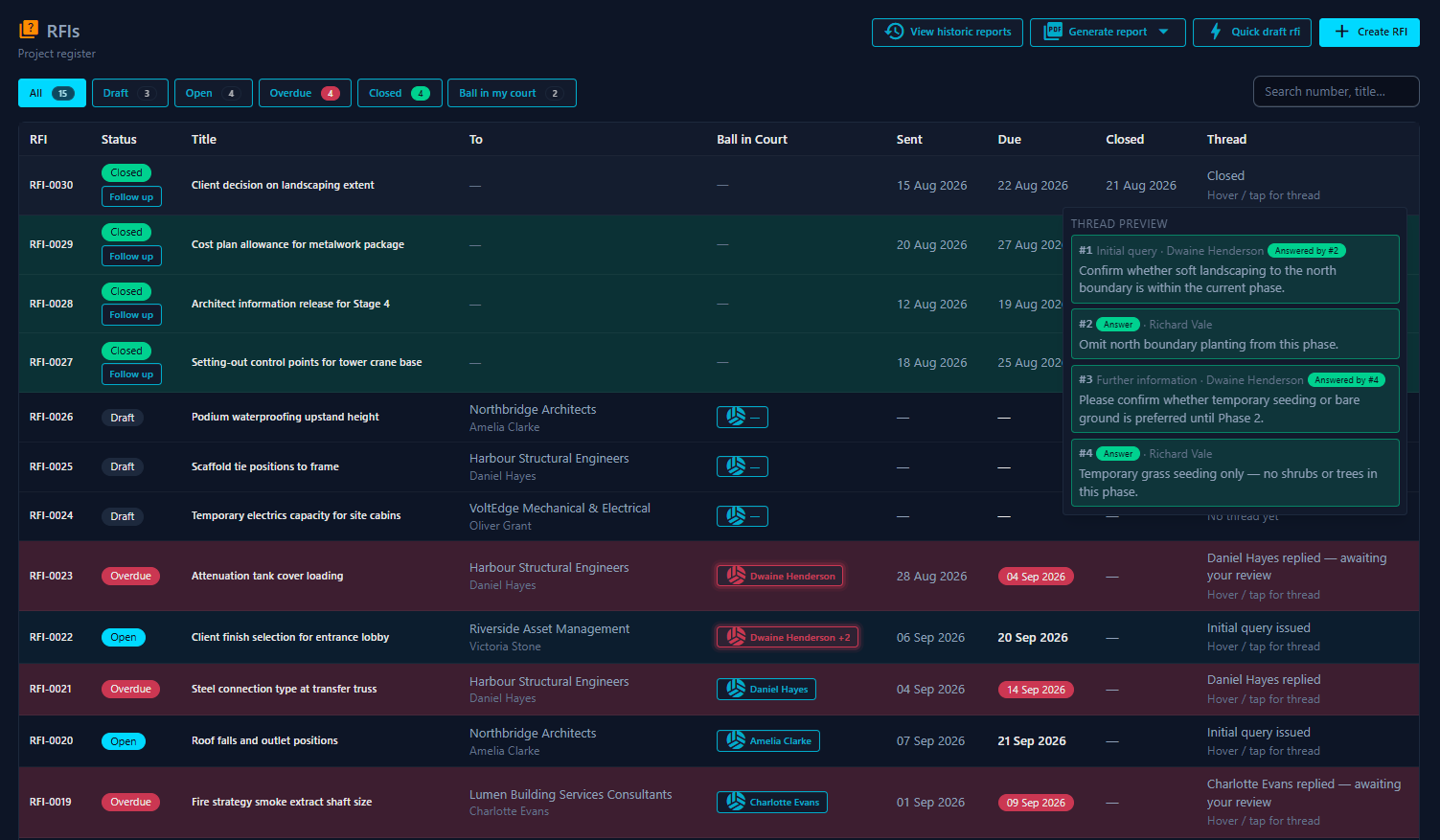
quiz RFIs

Included module

◈

Structured requests

Consistent RFI format across every project, with full tracking of responses.

◉

Response tracking

Know at a glance when an RFI is open, overdue, or closed, or see the full thread at a glance.

◎

Document linkage

Attach drawings and documents directly to the RFI record.

◈

Full reports

Output simple progress reports for client meetings.

quiz RFIs

Included module

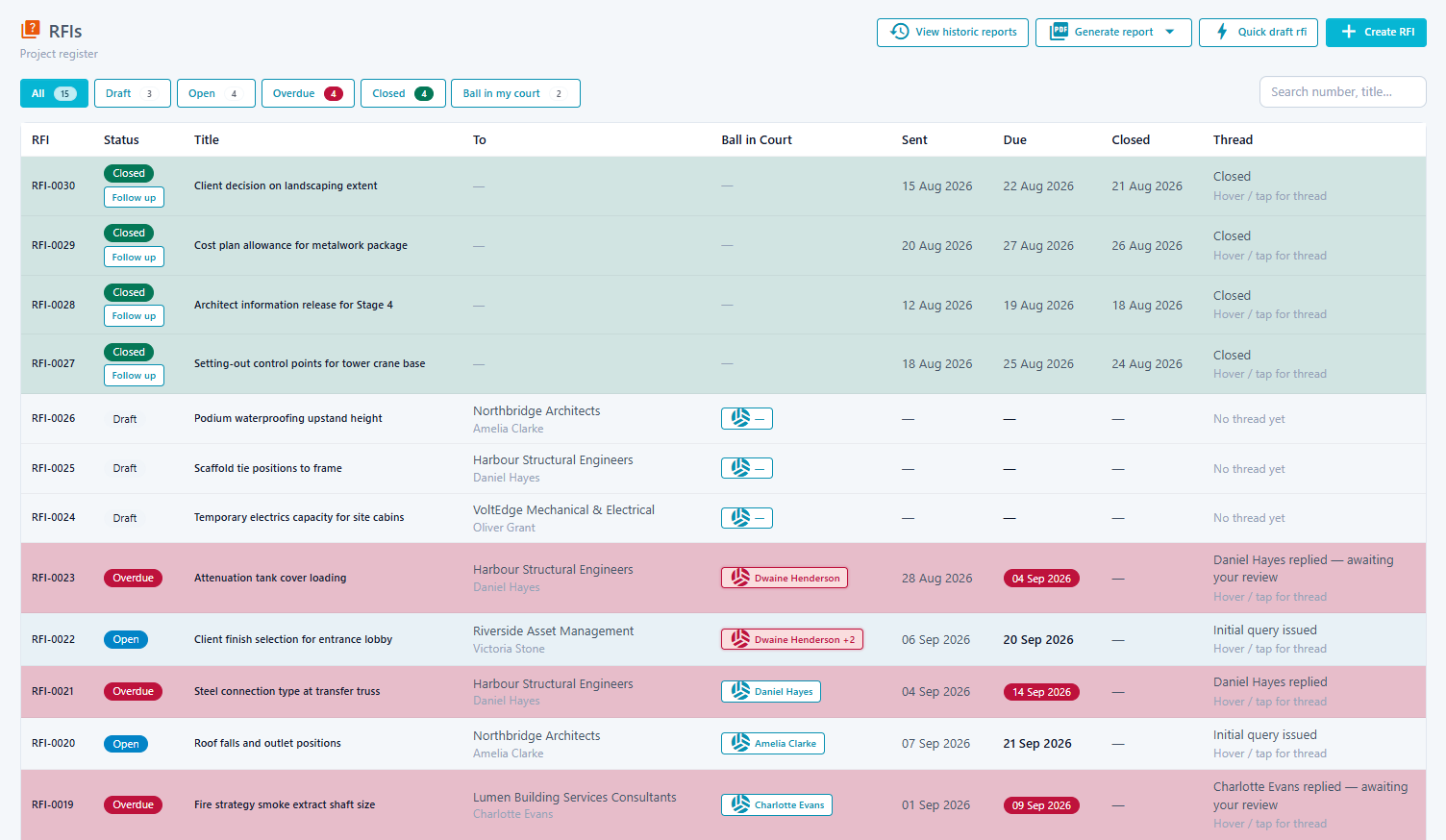
Every question,
answered and archived.

Submit, record, and resolve Requests for Information without losing them in email threads. The full response chain is preserved and searchable, forever.

siteforge.uk.com/app/rfis
SiteForge RFIs module screenshot SiteForge RFIs module screenshot

What you get

  • check Numbered RFI log
  • check Status & due-date tracking
  • check Drawing & document attachments
  • check PDF export

shopping_cart Procurement

Included module

◈

Live register

Category sections with quick-add package names, then Next action, Company, comments and stage status in one compact schedule.

◉

Backward schedule

Enter Site start and Days/Weeks per stage. SiteForge calculates the programme dates and highlights overdue and due-soon work.

◎

Package depth

Open a package for tenderers, quotations, appointed company, contacts, Documents/Drawings files, comments and audit history — without losing the register view.

shopping_cart Procurement

Included module

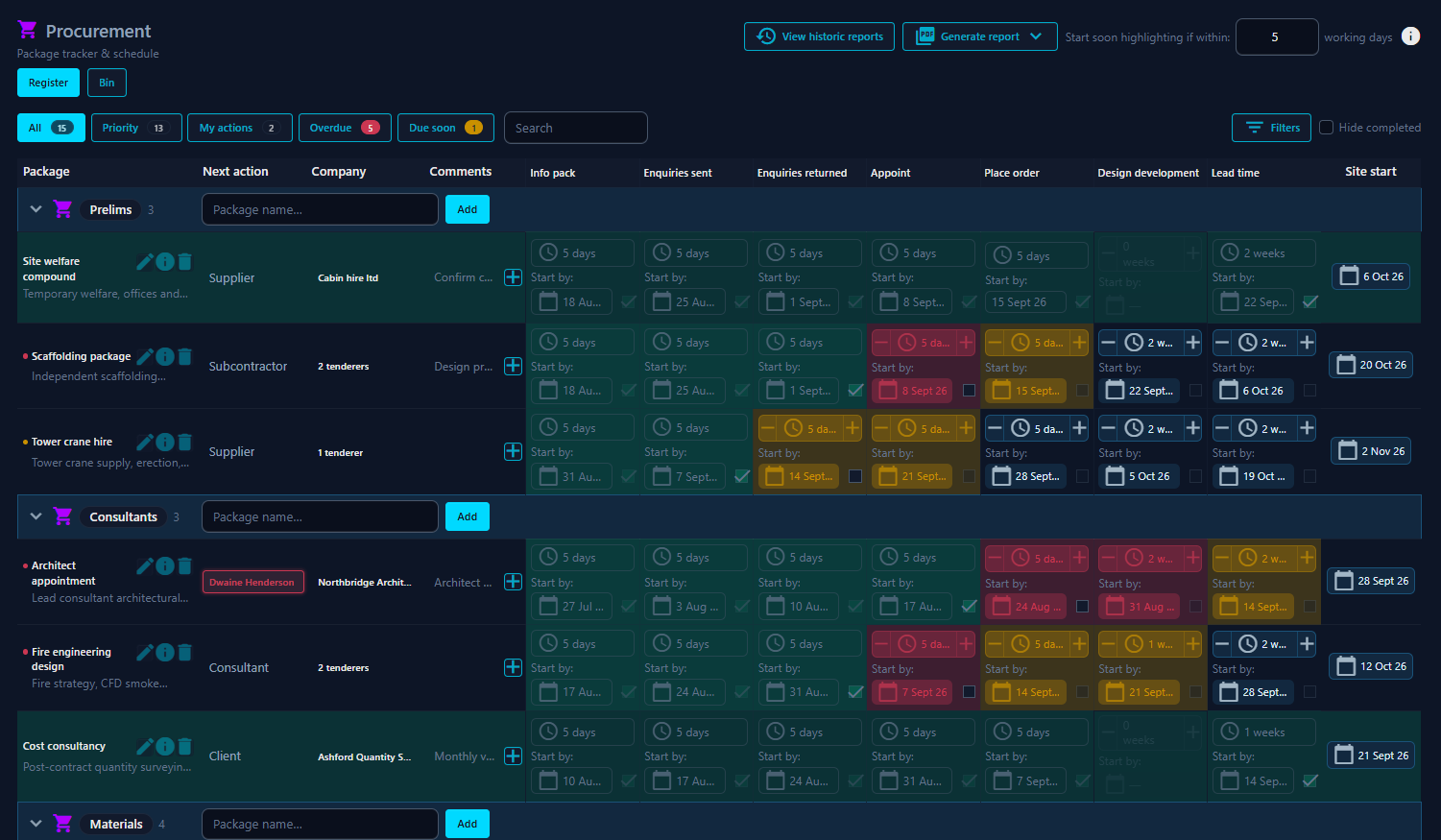
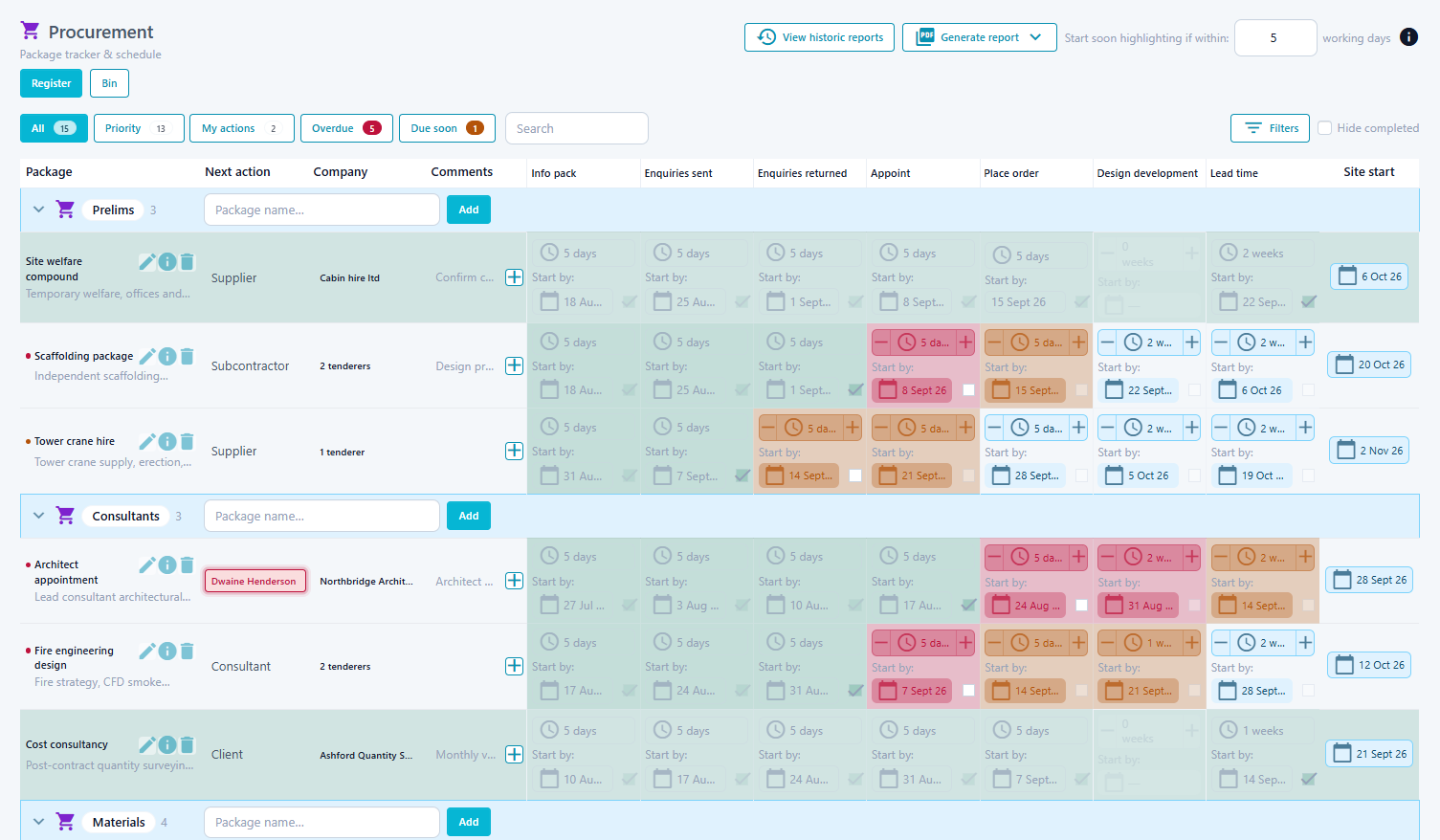
Procurement tracking,
without the spreadsheets.

Build the package list, set Site start, and let stage durations generate the key dates. Work from a live register that shows overdue, due-soon, Priority and My actions — with tenderers, files and history on each package.

siteforge.uk.com/app/procurement
SiteForge Procurement module screenshot SiteForge Procurement module screenshot

What you get

  • check Category register + Priority / My actions
  • check Auto dates from Site start & durations
  • check Next action ownership
  • check Tenderers, files & history on Package Show

assignment IRS

Paid module

◈

Built from Procurement

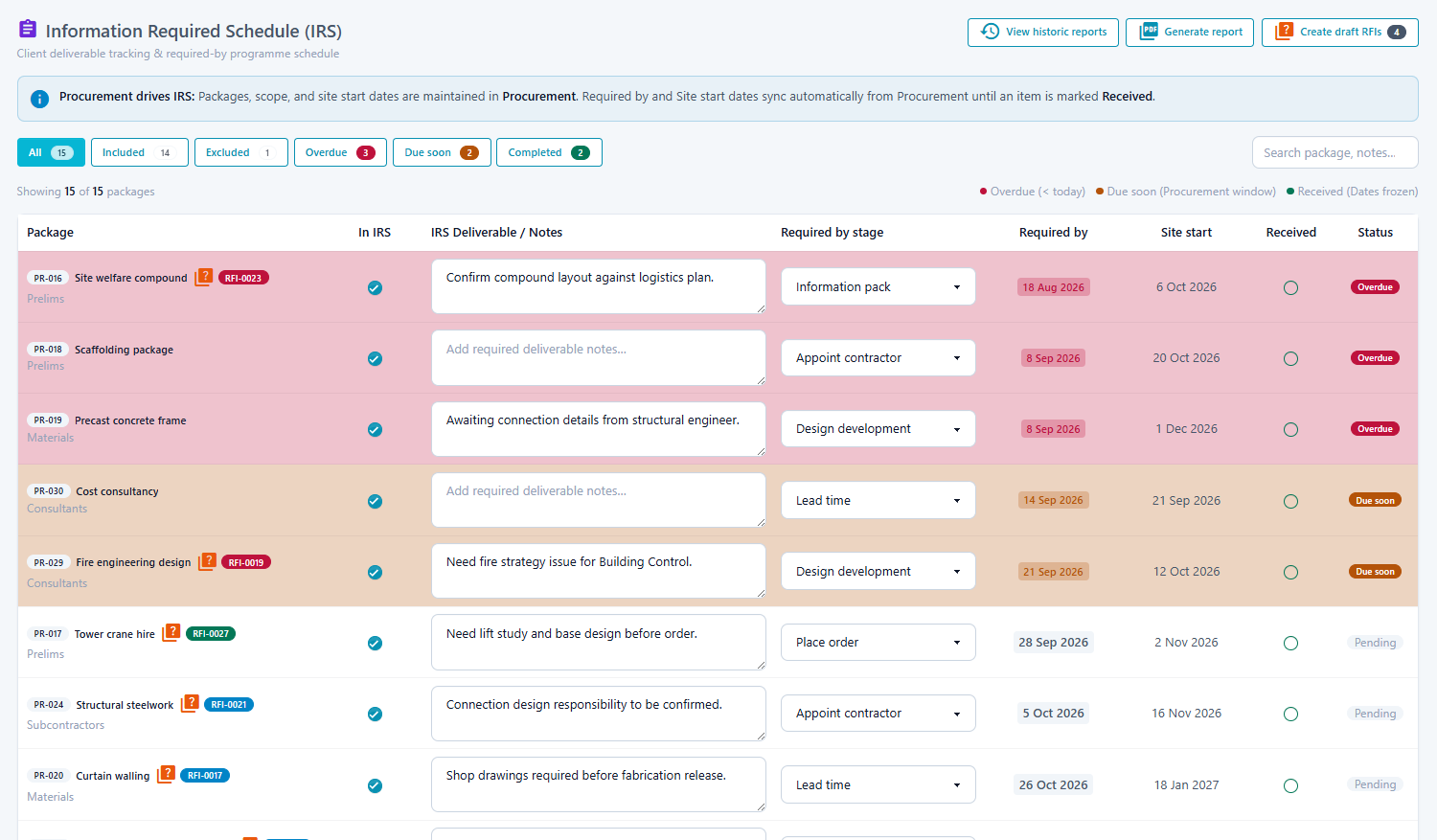
Create the IRS automatically from live Procurement packages and programme dates, without rebuilding a separate spreadsheet tracker.

◉

Outstanding to RFI

Track outstanding and received information against the current programme, then create draft RFIs directly from IRS items when information needs requesting formally.

◎

Reports with history

Generate formal IRS reports for meetings and keep previous report revisions on record for a clear project trail.

assignment IRS

Paid module

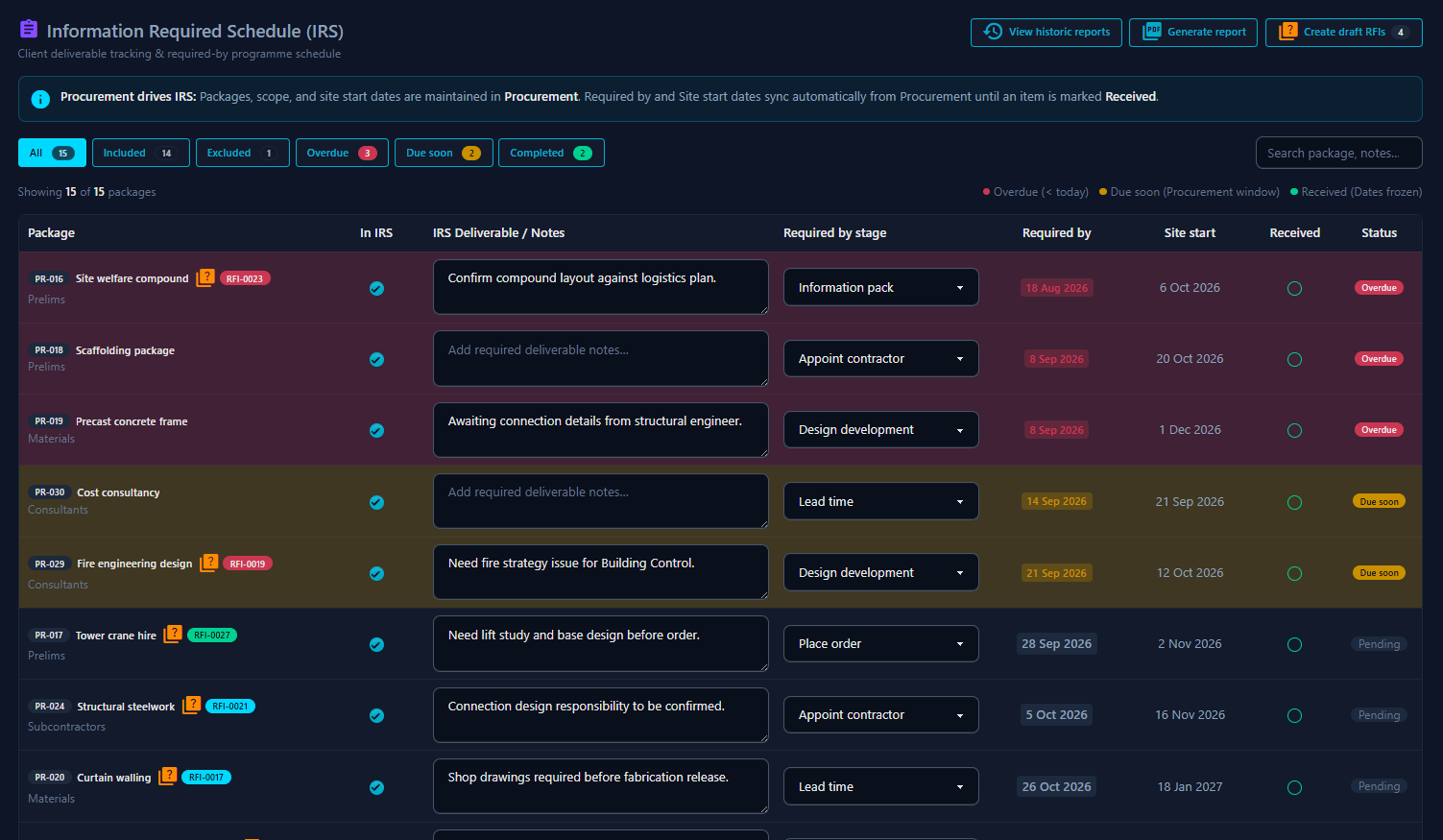
A live IRS,
built from Procurement.

Turn Procurement packages into a live Information Required Schedule. Keep required-by dates coordinated as the programme moves, raise draft RFIs from outstanding items, and retain every formal report revision.

siteforge.uk.com/app/irs
SiteForge IRS module screenshot SiteForge IRS module screenshot

What you get

  • check Live schedule from Procurement packages
  • check Required-by dates stay coordinated
  • check Outstanding and received tracking
  • check Draft RFIs from IRS items
  • check Formal reports with revision history

event_note Site Diary

Paid module · Coming soon

◈

Daily entries

Record weather, workforce, and key site events against each working day.

◉

Weekly checklists

Weekly QA and H&S checklists, to ensure each site is managed to meet relevant regulations.

◎

Export-ready

Pull a clean diary extract when you need it for meetings or records.

(coming soon)

event_note Site Diary

Paid module

What happened on site,
recorded properly.

Capture daily site conditions, labour, plant, and progress notes in one place — so the diary is usable for progress meetings and claims, not lost in notebooks.

siteforge.uk.com/app/site_diary

Screenshot coming soon

Screenshot coming soon

What you get

  • check Day-by-day site log
  • check Labour and plant notes
  • check H&S checklists
  • check Meeting-ready extracts

school Inductions

Paid module · Coming soon

◈

Induction register

See induction status for everyone coming onto the project.

◉

RAMs linking

Link site inductions directly to relevant rams.

◎

Site readiness

Confirm induction requirements before people start on site.

(coming soon)

school Inductions

Paid module

Site inductions,
tracked and current.

Know who has been inducted, access emergency contact details, and link to RAMs within the documents tool.

siteforge.uk.com/app/inductions

Screenshot coming soon

Screenshot coming soon

What you get

  • check Induction register
  • check RAM linking
  • check Trade / company filtering
  • check Site readiness checks

fact_check Permits

Paid module · Coming soon

◈

Permit workflow

Move permits from request through approval to close-out.

◉

Live status

See which permits are open, approved, or expired today.

◎

Linked evidence

Keep related documents and notes with the permit record.

(coming soon)

fact_check Permits

Paid module

Permit to work,
controlled on site.

Raise, approve, and close permits so high-risk work stays authorised and visible to the people running the site.

siteforge.uk.com/app/permits

Screenshot coming soon

Screenshot coming soon

What you get

  • check Permit register
  • check Approval workflow
  • check Open / closed status
  • check Linked attachments

menu_book O&M

Paid module · Coming soon

◈

Automatic build

Built from information in the procurement packages tool.

◉

Simple tracking

Easily request information, track receipt, and chase.

◎

Simple process

Tracking and recording O&M information is no longer an "it can wait until later" job.

(coming soon)

menu_book O&M

Paid module

O&M manuals information,
collated as you go.

Request and record information for operations and maintenance manuals through the project, so handover is not a last-minute scramble.

siteforge.uk.com/app/manuals

Screenshot coming soon

Screenshot coming soon

What you get

  • check Automatic build
  • check Packages feed in
  • check Request and track
  • check Automatically tracked, from project kickoff

price_change Variations

Paid module · Coming soon

◈

Variation register

Drawings are often issued without appropriate change logs. Record any drawing changes as they are issued, so they are not forgotten.

◉

Cost visibility

Keep commercial impact visible against each change.

◎

Linked scope

Connect variations to drawings and packages

(coming soon)

price_change Variations

Paid module

Variations tracked,
not buried in email.

Record instructions and commercial change so the team can see what changed, when, and what it affects on the project.

siteforge.uk.com/app/variations

Screenshot coming soon

Screenshot coming soon

What you get

  • check Variation register
  • check Never lose a VO
  • check Commercial notes
  • check Linked project records

how_to_reg Signing in

Paid module · Coming soon

◈

Live attendance

See who is currently signed in on the project.

◉

Visitor and labour logs

Capture visitors and site labour in one flow.

◎

Daily record

Keep a clear attendance history for each site day.

(coming soon)

how_to_reg Signing in

Paid module

Who is on site,
known in real time.

Sign people in and out so the site team always knows who is present for safety, welfare, and attendance records.

siteforge.uk.com/app/signing_in

Screenshot coming soon

Screenshot coming soon

What you get

  • check Live sign-in board
  • check Visitor logging
  • check Labour attendance
  • check Daily history

design_services Design management

Paid module · Coming soon

◈

Package tracking

See design package status from draft to issued.

◉

Coordination notes

Capture clashes and actions against the right package.

◎

Issue readiness

Know what is ready to issue to site and supply chain.

(coming soon)

design_services Design management

Paid module

Design packages,
coordinated clearly.

Manage design deliverables, package status, and coordination so design progress is visible to the site and commercial teams.

siteforge.uk.com/app/design

Screenshot coming soon

Screenshot coming soon

What you get

  • check Design package register
  • check Status visibility
  • check Coordination actions
  • check Issue readiness

construction Hire & materials

Paid module · Coming soon

◈

Hire register

See what plant is on hire, due back, or overdue.

◉

Materials visibility

Track key materials received on site this week.

◎

Cost awareness

Keep hire and materials notes linked to the project record.

(coming soon)

construction Hire & materials

Paid module

Plant and materials,
under control.

Track hired plant and materials on the project so returns, shortages, and site needs are visible before they become delays.

siteforge.uk.com/app/hire_materials

Screenshot coming soon

Screenshot coming soon

What you get

  • check Plant hire register
  • check Return dates
  • check Materials tracking
  • check Project-linked notes
support@siteforge.uk.com
·
01278 588266
· Siteforge Construction Software Ltd t/a SiteForge
Privacy · Cookies · Terms ·
WhatsApp